Free Time Blocking & Deep Work Schedule Template
A time blocking template partitions your workday into dedicated 90-minute Maker blocks for deep cognitive work, contiguous Manager windows for meetings, a single 30-minute communications batch, and a 20-minute overflow buffer. Print our free A4/US Letter time-blocking protocol sheet, configure your schedule in the builder below, or copy your blocks directly into Notion, Markdown, or Google Calendar.
Interactive Time Blocking & Deep Work Schedule Builder (Free PDF & Markdown Export)
Set your workday window, chronotype peak, and Deep Work target below, then print a 1-page PDF or copy your schedule for Notion / Google Calendar.
What’s in the template
- Maker vs. Manager Allocation Bar: Tracks the exact percentage of your workday dedicated to uninterrupted Deep Work versus meetings and reactive admin.
- Chronotype-Aligned 90-Minute Focus Blocks: Pairs your two highest-leverage cognitive blocks with a 20-minute screen-free ultradian recovery break.
- Planned vs. Actual & Interruption Audit Columns: Lets you record how many minutes each block actually took and capture incoming requests without breaking focus.
- Late-Afternoon Overflow Buffer Block: Reserves a dedicated 20-minute cushion at 16:30 so a single delayed call never cascades across the rest of your day.
How to time-block your workday in 5 minutes
- Anchor Block 1 to your biological peak: Schedule your hardest deliverable from your Task Tracker or Project Tracker into your first 90-minute peak window before opening email.
- Stack meetings back-to-back: Group 1:1s, stand-ups, and external calls into one contiguous midday or afternoon window (Paul Graham’s Maker’s Schedule, Manager’s Schedule rule).
- Contain Slack and email in one 30-minute sprint: Process routine messages at 16:00 instead of checking notifications every 6 minutes.
- Close with a 10-minute shutdown & tally: Log your completed deep-work hours and write down tomorrow’s 08:00 anchor block on your Daily Planner.
Up close

Comparison: Time Blocking vs. Pomodoro vs. Task Batching vs. Day Theming
| Method | Block length | Best for | Key trade-off |
|---|---|---|---|
| Time Blocking (Ultradian) | 60–120 min | Deep coding, writing, strategy & financial modeling | Requires calendar discipline and an afternoon buffer block |
| Pomodoro Technique | 25 min work / 5 min break | Overcoming initial procrastination on dreaded tasks | 25-minute alarms can interrupt deep flow once momentum builds |
| Task Batching | 20–45 min | Email triage, Slack replies, expense receipts & admin | Ideal for shallow work; not designed for multi-hour deliverables |
| Day Theming | Full day (8 h) | Founders & executives juggling 4+ distinct roles | Harder to apply when daily client or team response SLAs exist |
How to protect Maker hours on a Manager-heavy calendar
As computer scientist and Y Combinator co-founder Paul Graham observed in his classic essay Maker’s Schedule, Manager’s Schedule (2009), managers operate in 60-minute appointment intervals while makers require uninterrupted half-day blocks to hold a complex system in working memory; a single 30-minute meeting in the middle of a morning splits a 4-hour maker window into two fragments too short for deep synthesis. Protect your calendar with three structural rules:
- Publish “Office Hours” for internal calls: Hold a recurring 60- to 90-minute midday window (for example, 11:30 to 12:30 or 15:00 to 16:00) where teammates can book 15- or 30-minute syncs, leaving 08:00 to 11:30 completely meeting-free.
- Never leave a block unlabeled: Instead of blocking “Focus time” on your calendar, write the exact deliverable name (“Draft Q4 pricing table: do not book”) so colleagues see a concrete commitment.
- Use a 20-minute Overflow Buffer Block: Schedule an explicit buffer slot at 16:30 every day. When a morning deep-work block needs 20 extra minutes to reach a clean stopping point, it expands into the buffer rather than erasing your afternoon plan.
The cognitive cost of interruptions and task-switching (Mark et al. & Rubinstein et al.)
Leaving email and chat notifications open while trying to execute complex work carries a steep, measurable penalty. In field studies tracking information workers in real office environments, Gloria Mark, Victor M. Gonzalez, and Justin Harris at the University of California, Irvine found that workers switched tasks or were interrupted every 3 minutes and 5 seconds on average, and that returning to an interrupted primary work sphere took an average of 23 minutes and 15 seconds (Mark, Gonzalez, & Harris, 2005, CHI Proceedings); in follow-up controlled experiments, Mark, Daniela Gudith, and Ulrich Klocke showed that interrupted workers try to compensate by working faster, which significantly increases stress, frustration, time pressure, and mental effort (Mark, Gudith, & Klocke, 2008, CHI Proceedings). In foundational cognitive psychology experiments, Joshua S. Rubinstein, David E. Meyer, and Jeffrey E. Evans likewise demonstrated that switching between different cognitive rule sets imposes two distinct time costs (goal shifting and rule activation) that can consume up to 40% of productive time on complex tasks (Rubinstein, Meyer, & Evans, 2001, Journal of Experimental Psychology: Human Perception and Performance).
Frequently asked questions
Is this time blocking and deep work schedule template free to download?
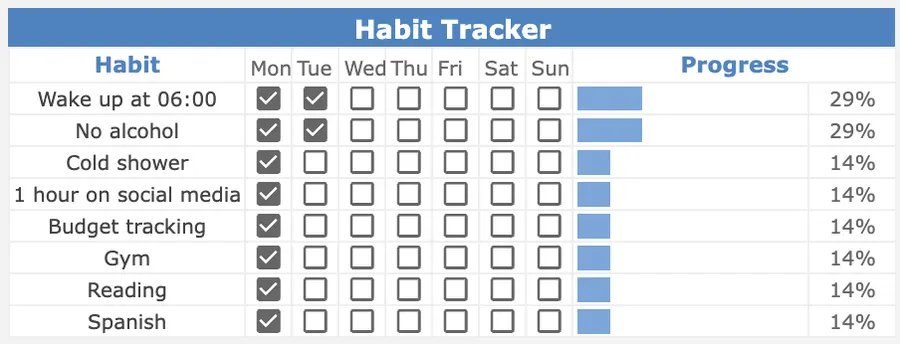
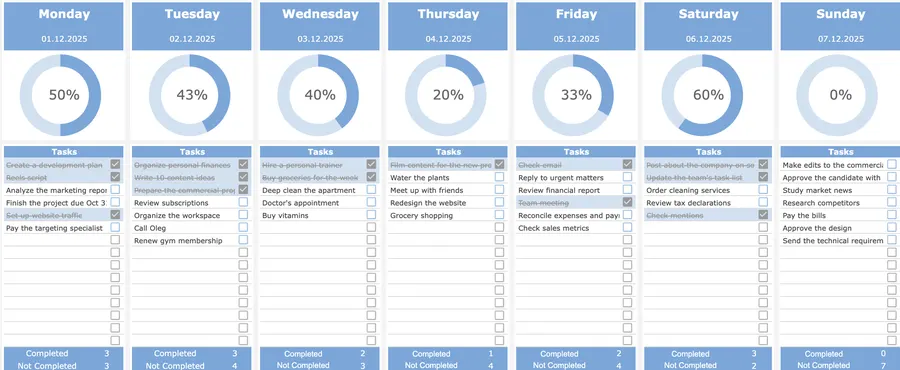
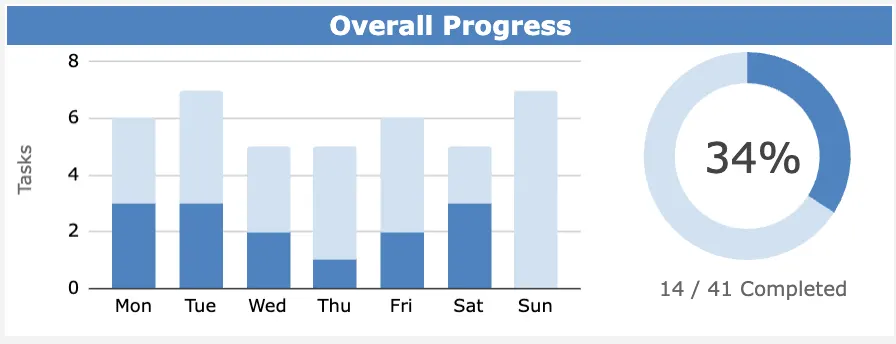
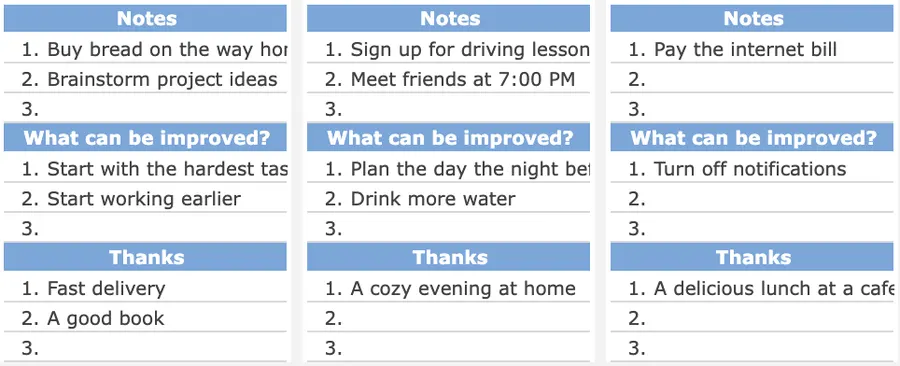
Yes. You can configure your Maker vs. Manager ratio, chronotype peak, and hourly blocks in the interactive builder on this page, copy your schedule to Markdown/Notion/Google Calendar, or print the A4/US Letter PDF sheet for free. If you want an automated 7-day and daily dashboard in Google Sheets with live completion rings and habit roll-ups, get the Focus Protocol Weekly & Daily Planner for a one-time $12.
What is the difference between a time blocking template and a daily planner?
A daily planner centers on your Top 3 tasks and a general hourly timeline for the day. A dedicated time blocking template goes deeper into cognitive allocation: it separates Maker (Deep Work) blocks from Manager (meetings and collaborative) blocks, aligns high-concentration work with your biological chronotype peak, and includes an explicit overflow buffer block plus an interruption tally.
How many hours of deep work should I time-block per day?
For most knowledge workers, 3 to 4 hours of uninterrupted deep work per day (structured as two 90- to 120-minute blocks separated by a 20-minute screen-free recovery break) is the sustainable ceiling before cognitive fatigue sets in. On heavy meeting days, protecting a single 90-minute morning anchor block before opening email still preserves daily momentum.
What should I do when an unexpected meeting or urgent task ruins my time-blocked schedule?
Build a 20- to 30-minute Overflow Buffer Block into your late afternoon (for example, 16:30 to 16:50) and use the right-hand Rescheduled / Interruption column on the printable sheet. When a block overruns, move the displaced block into your afternoon buffer rather than abandoning the rest of the day’s schedule.
How do I align time blocking with my chronotype (Lark, Third Bird, or Night Owl)?
Morning Larks reach peak analytical sharpness between 08:00 and 11:30, Third Birds (the majority of people) peak between 09:30 and 13:00, and Afternoon/Night Owls experience a strong cognitive window between 14:00 and 17:30. Schedule your hardest Deep Work Block 1 inside your personal peak window and push routine admin and status meetings into your energy trough.
Want the complete Focus Protocol system?
Get the automated Weekly & Daily Planner for Google Sheets ($12), or combine it with our Daily Planner, Goal Tracker, Task Tracker, Project Tracker, Habit Tracker, and Finance Tracker in the All-in-One Bundle ($29).