Free Habit Tracker Template
A habit tracker template is a monthly or weekly grid with one row per habit and one checkbox per day, so you can see your consistency at a glance instead of relying on memory. Print our free 31-day A4/US Letter PDF sheet, customize your habits in the builder below, or use the automated Google Sheets edition.
Interactive Habit Tracker Builder (Free Printable Export)
Enter your month and up to 5 keystone habits with their daily trigger and weekly target, then click Print / Export My Habit Sheet (PDF).
What’s in the template
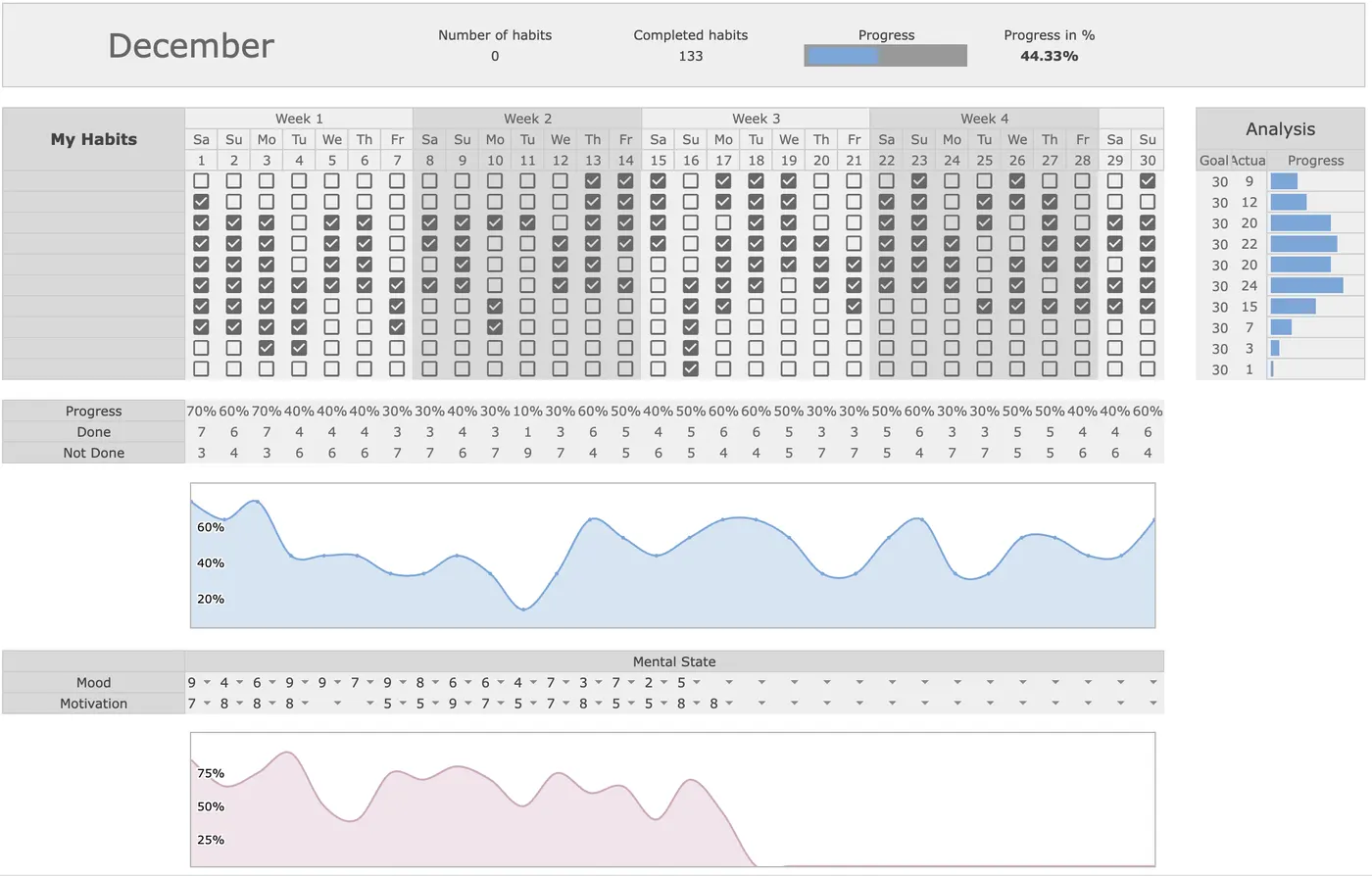
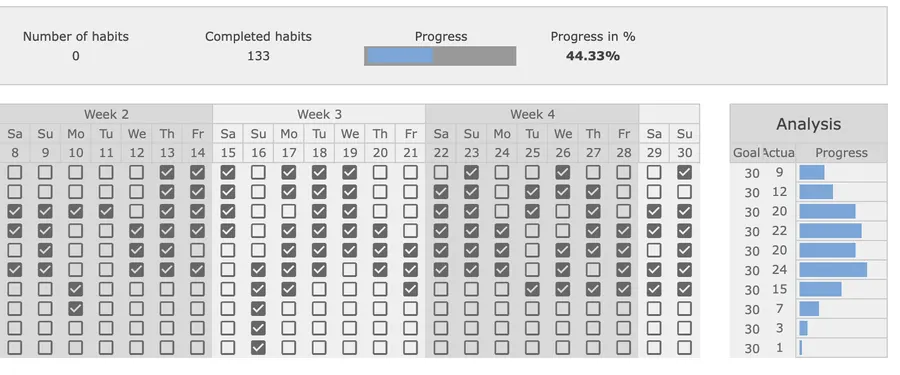
- 31-Day Monthly Checkbox Grid: One row per habit and one column per calendar day (1–31), giving you a full month of visual momentum on a single screen.
- Automatic Progress Bars & Percentages: Every ticked box updates that habit’s monthly completion rate and horizontal progress bar immediately.
- Daily Completion Counter & Trend Chart: Bottom summary rows calculate how many habits you completed each day and plot your consistency curve across the month.
- 12 Monthly Tabs Ready to Duplicate: Start a fresh month in 10 seconds while keeping prior months archived for quarterly review.
How to set up a habit tracker that sticks
- Cap your active list at 3 to 5 habits: Starting with too many rows creates tracking fatigue by week two. Pick one health habit, one focus habit, and one shutdown routine.
- Write the cue next to the habit: Instead of “Read more,” write “After brushing teeth at 21:30, read 10 pages.”
- Define a 2-minute minimum version: On travel or high-stress days, a 2-minute version (10 push-ups or 1 page read) keeps the identity alive.
- Review every Sunday: Pair your monthly grid with our Weekly Planner to adjust cues when a habit drops below 60% completion.
Up close
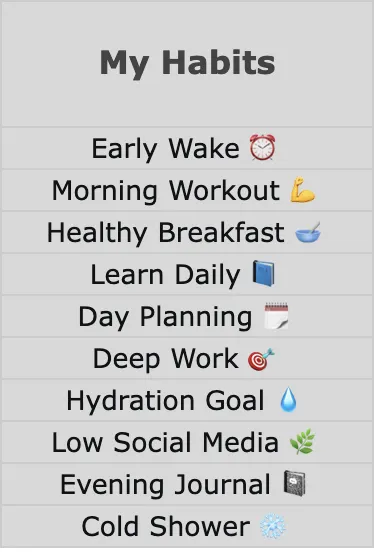
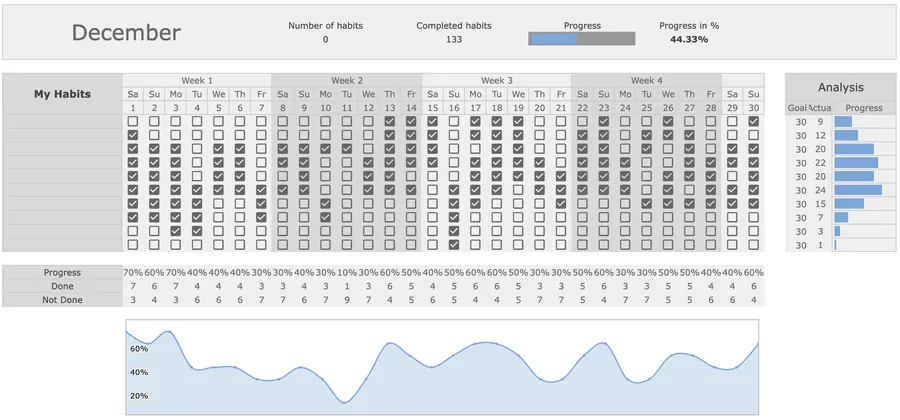
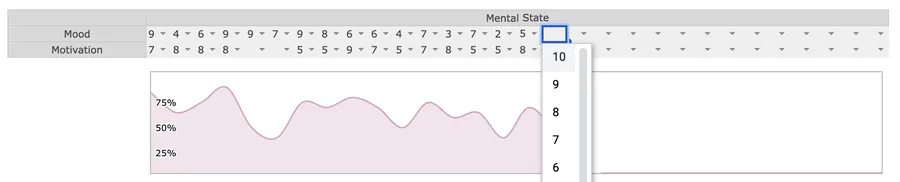
Format Comparison: Printable PDF vs. Google Sheets vs. Notion vs. Excel
| Format | Best for | Setup time | Key trade-off |
|---|---|---|---|
| Printable PDF (A4 / Letter) | Wall calendar & desk pad | 1 min | Zero screen distraction; no automatic charts |
| Google Sheets (Automated) | Monthly streaks & trend charts | 2 min | Calculates % done, streaks, and daily totals automatically |
| Notion Habit Tracker | Daily journal + mobile check-in | 3 min | Great mobile checkboxes; wider 31-day matrices scroll horizontally |
| Excel Desktop | Offline spreadsheet users | 2 min | Fast local formulas; requires manual cloud sync across phone & laptop |
How to set up a Notion habit tracker template in 3 minutes
If your workspace lives in Notion, a daily log database is faster to tick on a phone than a 31-column grid:
- Create a full-page Table database named Habit Tracker and set the title column to the day label (for example,
Mon Oct 26) plus a Date property. - Add 3 to 5 Checkbox properties named after your keystone habits (for example,
Deep Work,Workout,Read 20p). - Add a Formula property named Daily Score using
round((toNumber(prop("Deep Work")) + toNumber(prop("Workout")) + toNumber(prop("Read 20p"))) / 3 * 100)to display your daily completion percentage. - Group the table view by Date → Week and set the bottom column summary on each checkbox to Percent checked.
What habit formation research actually says (The 66-Day Rule)
Popular advice claims it takes 21 days to build a habit, but empirical tracking tells a more realistic story. When health psychology researcher Phillippa Lally and colleagues at University College London tracked adults building daily nutrition and exercise habits over 12 weeks, the median time to reach plateau automaticity was 66 days, with individual habits ranging from 18 to 254 days depending on complexity (Lally et al., 2010, European Journal of Social Psychology). The study also showed that missing a single day did not materially reduce long-term automaticity; what matters is resuming the behavior the next day rather than abandoning the sheet after one blank box.
Pairing your tracker with a specific when-and-where trigger (“When I close my laptop at 17:30, I change into running shoes”) leverages implementation intentions, which meta-analyses show significantly increase goal attainment compared with tracking outcomes alone (Gollwitzer, 1999, American Psychologist).
Frequently asked questions
Is this habit tracker template free to download and print?
Yes. You can customize and print the 31-day habit grid on this page or open the A4/US Letter printable sheet for free. If you want automated progress bars, streak counters, and monthly completion charts in Google Sheets, the Focus Protocol Habit Tracker is a one-time $9 purchase.
How many habits should I track at once?
Start with 3 to 5 habits. Tracking 12 or 15 new behaviors at the same time splits your attention and turns daily check-ins into a chore. Lock in three keystone habits first, then add more once those feel automatic.
How long does it actually take to build a habit?
In a landmark study by Phillippa Lally and colleagues at University College London (2010), participants took a median of 66 days (ranging from 18 to 254 days) for a new daily habit to become automatic. Missing a single day did not reset progress.
Can I use this habit tracker in Google Sheets, Excel, or Notion?
Yes. Google Sheets and Excel are ideal for 31-day checkbox matrices with automatic completion percentages. In Notion, a database table with one row per day and checkbox properties for 3 to 5 habits works best on mobile.
What should I do when I miss a day on my habit tracker?
Follow the “never miss twice” rule: missing one day has almost no measurable effect on long-term habit formation, provided you return to the habit the next day, even if you only complete a 2-minute version of it.
Want the complete Focus Protocol system?
Get the automated Habit Tracker for Google Sheets ($9), or combine it with our Weekly Planner, Task Tracker, and Finance Tracker in the All-in-One Bundle ($29).