Free Monthly Budget & Finance Tracker Template
A personal finance tracker template gives every dollar of take-home pay a clear job before the month begins, then compares planned budgets against actual spending across Needs, Wants, Savings, and Debt. Print our free A4/US Letter 50/30/20 PDF sheet, map your monthly numbers in the builder below, or use the automated Google Sheets edition.
Interactive 50/30/20 Monthly Budget Builder (Free Printable Export)
Enter your monthly take-home pay and category targets below, then click Print / Export My Budget Sheet (PDF).
What’s in the template
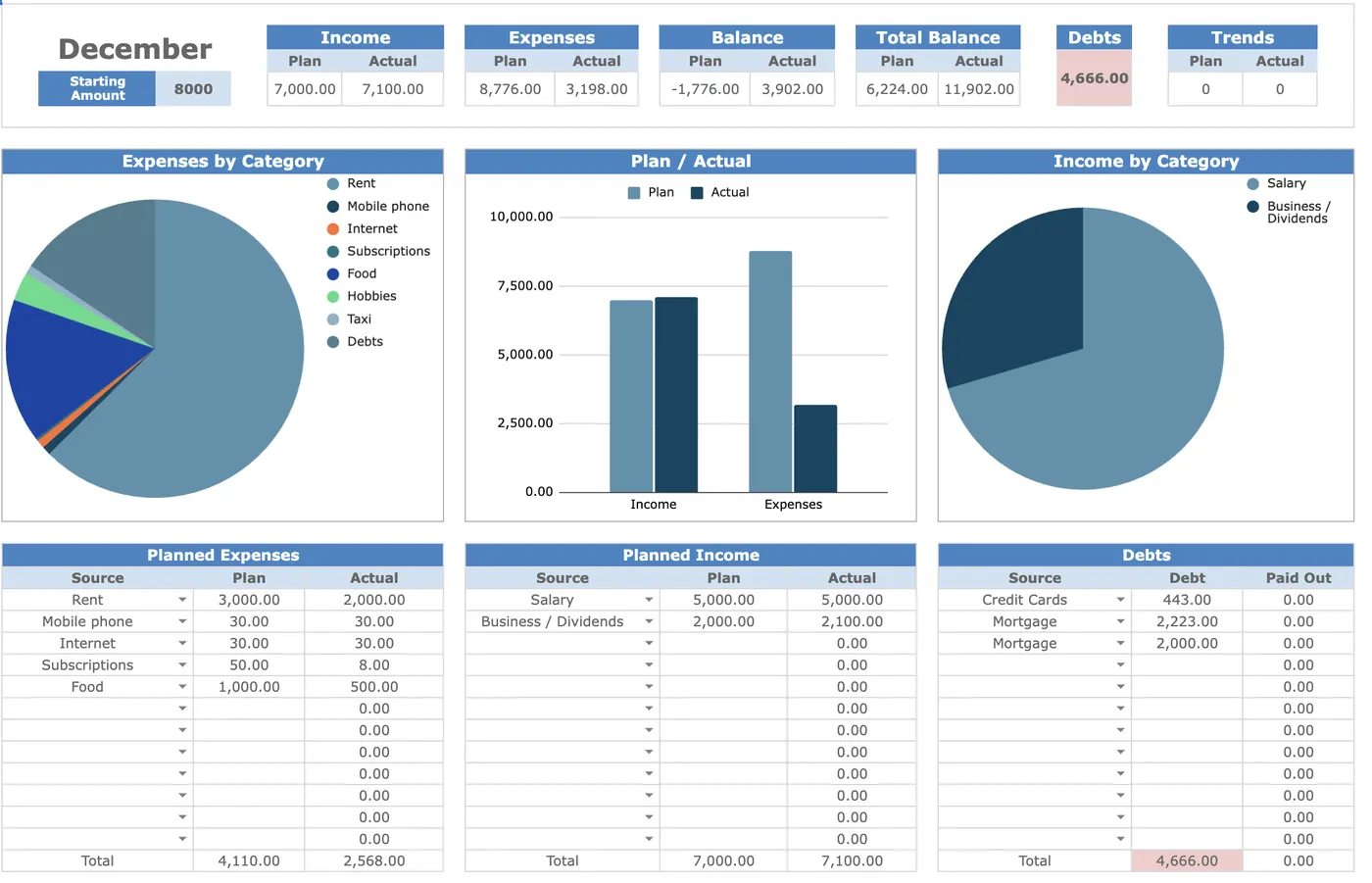
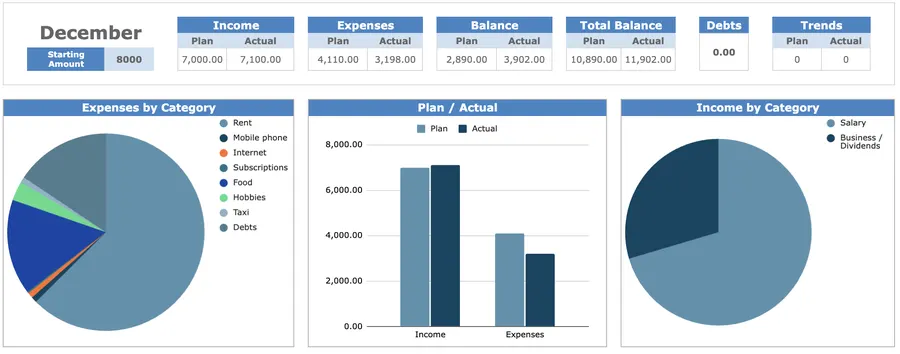
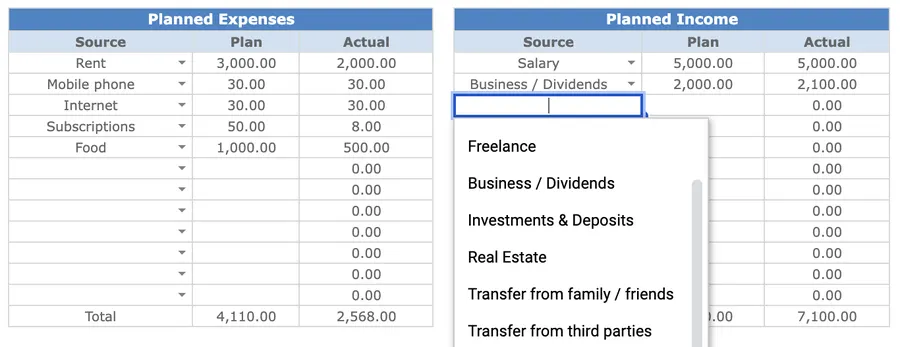
- Planned vs. Actual Variance Columns: Set your monthly target for each category once, then watch the sheet calculate remaining budget and over/under variance automatically.
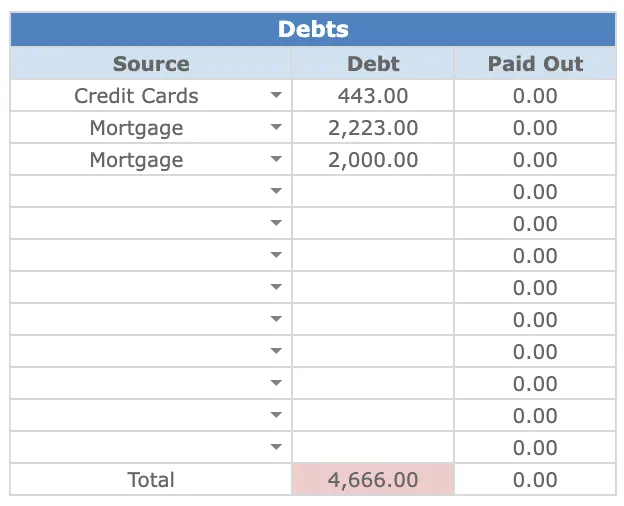
- Income, Expenses, Savings & Debt in One View: Track paycheck inflows, fixed bills, variable spending, emergency-fund transfers, and debt balances on a single dashboard.
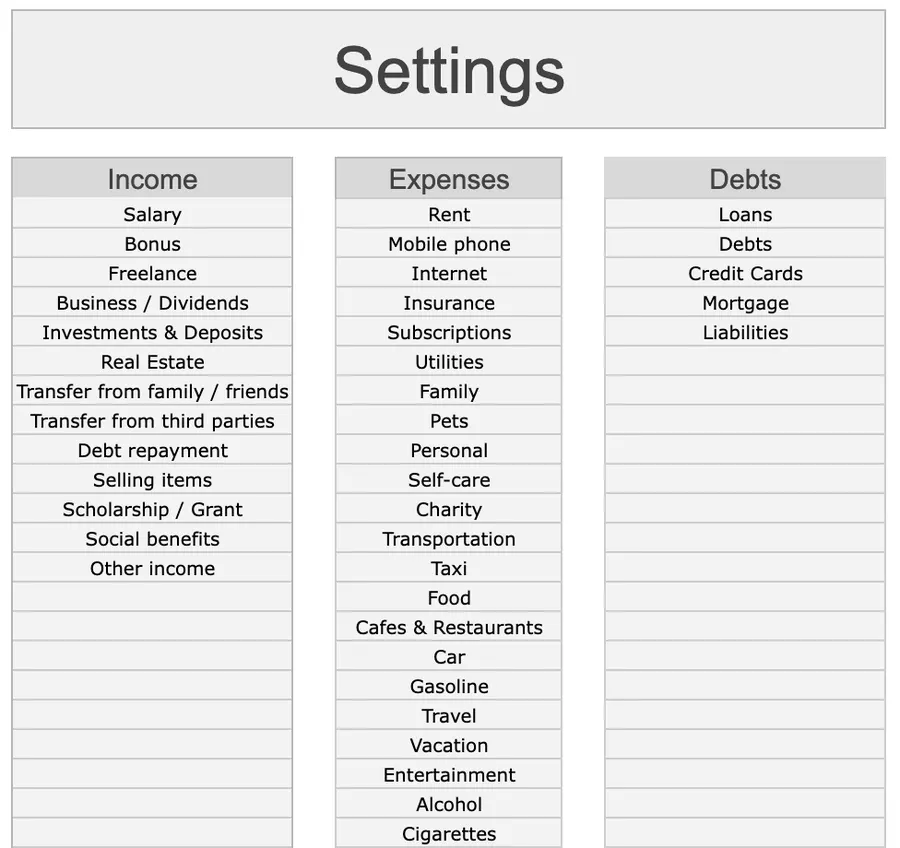
- Category Drop-Downs & Transaction Log: Log expenses in seconds and let built-in
SUMIFSformulas roll every row into the right monthly summary bar. - Visual Cash-Flow & Net-Savings Charts: Spot lifestyle creep immediately with side-by-side bar charts and percentage breakdowns.
How to run your budget in 10 minutes a week
- Pay yourself first on payday: Automate your 20% savings or debt transfer on the day income lands so you never budget with leftover scraps.
- Cap fixed Needs near 50%: Keep housing, utilities, groceries, insurance, and minimum debt payments predictable.
- Log transactions every Sunday: Pair a 10-minute money check-in with your Weekly Planner review while receipts are fresh.
- Audit one leak at month-end: Compare Planned vs. Actual, cancel one unused subscription, and adjust next month’s caps.
Up close
Format Comparison: Printable PDF vs. Google Sheets vs. Banking Apps vs. Excel
| Format | Best for | Setup time | Key trade-off |
|---|---|---|---|
| Printable PDF (A4 / Letter) | Monthly partner money check-in | 1 min | High intentionality on paper; requires manual addition |
| Google Sheets (Automated) | Planned vs. actual + 12-month charts | 2 min | Automatic category sums, variance alerts, and zero bank-login sharing |
| Auto-Sync Banking Apps | Passive transaction import | 10 min | Requires paid subscription ($80–$120/yr) and third-party bank credentials |
| Excel Desktop | Offline local spreadsheets | 2 min | Fast desktop keyboard entry; harder to co-edit from two phones |
How to combine the 50/30/20 Rule with Zero-Based Budgeting
Most people abandon complex budgets because tracking 40 micro-categories feels like a second job. Combining two classic frameworks keeps your spreadsheet fast and accurate:
- 50% Needs · Fixed & Essential: Housing, utilities, groceries, healthcare, basic transportation, and contractual minimum debt payments. If Needs exceed 55%, trim recurring fixed bills before squeezing daily groceries.
- 20% Savings & Debt · Future You: Emergency fund contributions, index-fund investing, and extra principal payments on high-interest debt (see the Consumer Financial Protection Bureau budgeting worksheets).
- 30% Wants · Guilt-Free Lifestyle: Dining out, hobbies, travel sinking funds, and streaming. As long as your 20% savings transfer cleared on payday, you can spend your 30% Wants bucket without guilt.
Why explicit category budgets curb overspending (Mental Accounting)
Treating checking-account cash as one undifferentiated pool makes it easy to overestimate how much discretionary money is actually available. In behavioral economics research, Nobel laureate Richard H. Thaler demonstrated that households naturally regulate spending through mental accounting, assigning funds to distinct labeled buckets with explicit boundaries (Thaler, 1999, Journal of Behavioral Decision Making). Writing down concrete category ceilings before the month starts turns vague financial intentions into visible guardrails at the moment of purchase.
Frequently asked questions
Is this monthly budget and finance tracker template free to download?
Yes. You can calculate your 50/30/20 allocation and print a clean A4/US Letter budget sheet using the interactive builder on this page, or download the 15-row printable PDF template for free. If you want automated plan-versus-actual variance charts, category roll-ups, and multi-month cash-flow tracking in Google Sheets, the Focus Protocol Finance Tracker is a one-time $12 purchase.
How does the 50/30/20 budget rule work in a spreadsheet?
The 50/30/20 rule divides your after-tax take-home income into three buckets: up to 50% for essential Needs (housing, groceries, utilities, insurance, minimum debt payments), up to 30% for discretionary Wants (dining out, travel, subscriptions), and at least 20% for Savings, investments, and extra debt paydown.
What is the difference between a 50/30/20 budget and a zero-based budget?
A 50/30/20 budget sets three high-level guardrails so you can sanity-check your fixed costs and savings rate in two minutes. A zero-based budget assigns every single dollar of net income to a specific category until Income minus Outflow equals zero. Our template combines both: each category row rolls up into Needs, Wants, or Savings while the bottom row checks that every dollar is assigned.
Can I use this budget template in Google Sheets, Excel, or on paper?
Yes. The printable PDF works well for a monthly kitchen-table review with a partner, while Google Sheets and Excel automate category sums from your transaction log and chart planned versus actual spending across all 12 months.
How often should I update my personal finance tracker?
Run a 10-minute money check-in once a week (for example, during your Sunday review alongside your Weekly Planner) so you only have 8 to 15 transactions to categorize at a time, plus a 15-minute close on the last day of each month.
Want the complete Focus Protocol system?
Get the automated Finance Tracker for Google Sheets ($12), or combine it with our Weekly Planner, Daily Planner, Habit Tracker, Task Tracker, and Project Tracker in the All-in-One Bundle ($29).