Free Weekly Planner Template
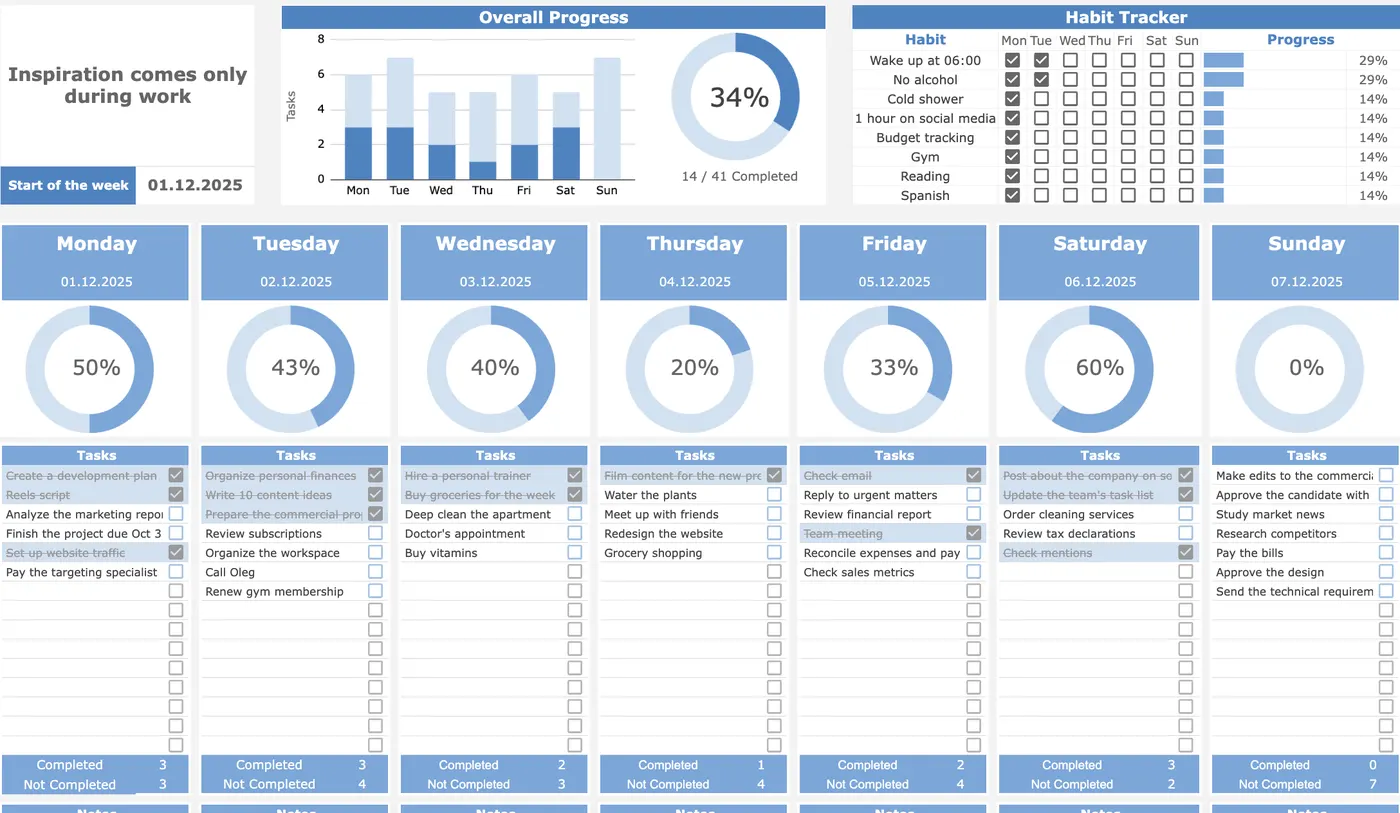
A weekly planner template is a one-page layout for the 7 days ahead: pick your top 3 priorities, block time for them on the calendar grid, add recurring habits, and review on Sunday. Download ours free as a printable PDF, fill it out below, or use the automated Google Sheets edition.
Interactive “Plan My Week” Builder (Free PDF Export)
Fill in your top 3 outcomes and daily blocks below, then click Print / Export Filled PDF to save a clean one-page weekly sheet.
What’s in the template
- Weekly Top 3 Focus Box: Caps your main weekly goals at three so small urgent tasks don’t crowd out deep work.
- 7-Day Calendar Grid (Mon–Sun): Side-by-side day columns let you spot overloaded days immediately and rebalance before Monday starts.
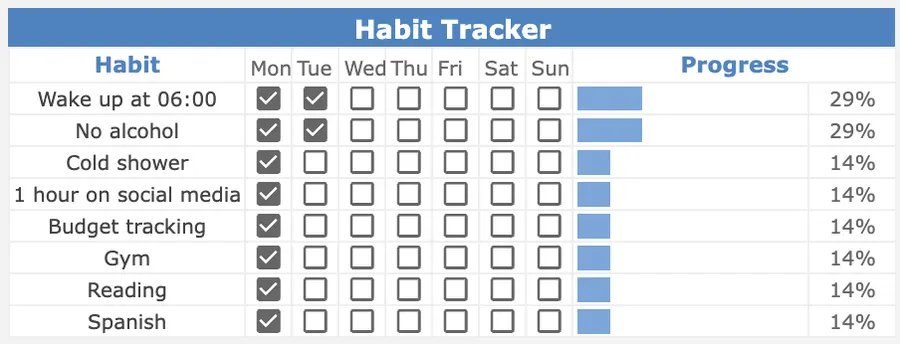
- Daily Habit Row: Tracks recurring daily routines alongside project tasks without switching apps (pairs with our Habit Tracker).
- Sunday Review Prompt: A dedicated space to log wins, carry over unfinished items, and reset cleanly.
How to plan your week in 15 minutes
- Check fixed commitments (3 min): Check fixed meetings and deadlines first so you know how many real focus hours exist this week.
- Choose your Top 3 priorities (4 min): Pick three concrete outcomes from your master Task Tracker.
- Block time on specific days (5 min): Assign each priority to a specific day and morning slot (for example, “Tuesday at 9:00 a.m.: draft the project spec”).
- Lock in 3 daily habits (3 min): Choose up to three habits to tick off each day and close with a 5-minute Sunday review.
Up close
Variations: Printable PDF, Google Docs, Notion & Hourly Schedule
| Format | Best for | Key advantage |
|---|---|---|
| Printable PDF (A4 / Letter) | Desk pad & analog thinkers | Zero screen distractions; stays visible next to your keyboard all week |
| Google Sheets (Automated) | Metrics & habit streaks | Automatic completion percentages, overdue highlights, and multi-week archive tabs |
| Google Docs / Notion | Minimalist text outlines | Fast keyboard bulleting and easy linking to project notes |
| Hourly Weekly Schedule | Time-blocked calendars | Maps 60-minute blocks against meetings to protect deep-work mornings |
Printable PDF (A4 & US Letter)
If you work best on paper, open the printable weekly planner sheet and print on A4 or US Letter. Keeping a physical sheet beside your trackpad reduces context switching between browser tabs.
Google Docs & Google Sheets
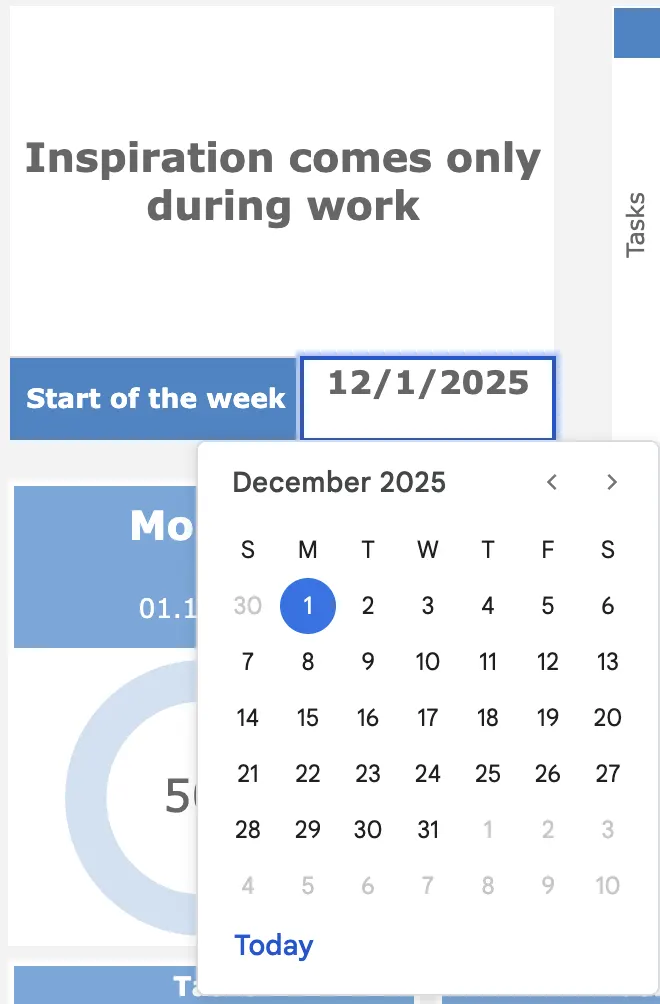
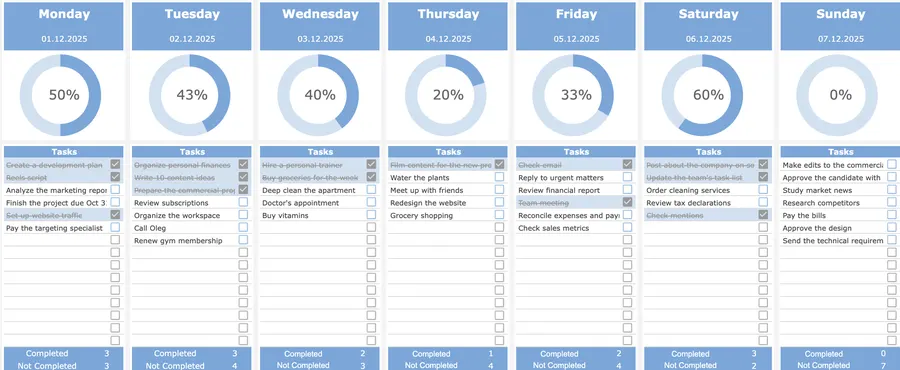
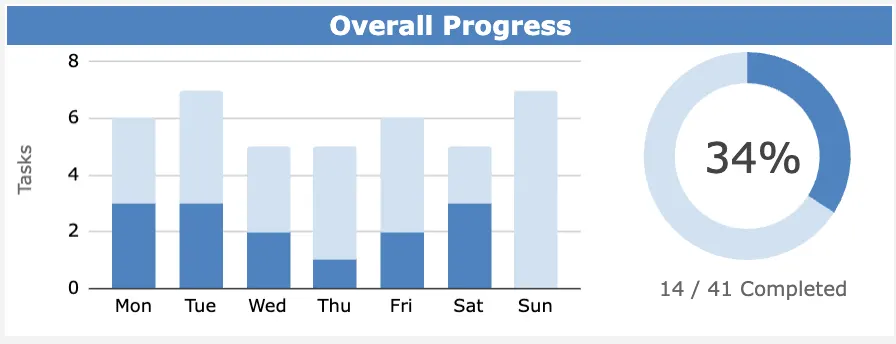
While a Google Docs table works for simple bullet lists, the Focus Protocol Google Sheets Weekly Planner automates the math: ticking a checkbox strikes through the task, updates your daily completion bar, and rolls weekly habit totals into a monthly view.
Notion Weekly Planner
Prefer Notion? You can build the same four-part layout on a single page: a callout block at the top for your Top 3 outcomes, a 7-column toggle layout for Monday through Sunday, a simple table for 3 daily habits, and a Sunday review toggle at the bottom.
Hourly Weekly Schedule Template
When your week is fragmented by meetings, combine this weekly overview with calendar time-blocking: reserve a 90-minute morning block for Priority 1 before checking email or Slack, and batch admin tasks into a single afternoon window.
Weekly review questions
Spend 10 minutes every Friday afternoon or Sunday evening answering four questions before filling in next week’s sheet:
- Which of my Top 3 weekly priorities shipped, and what blocked the ones that stalled?
- Which day felt overloaded, and how many tasks can I cut or delegate next week?
- Which keystone habit held steady, and where did the streak break?
- What single outcome next week would make the biggest difference?
Why weekly planning works
Research on implementation intentions shows that deciding when and where you will act (“Monday at 09:00 in my study, I will write the project brief”) substantially increases follow-through compared with vague to-do lists (Gollwitzer, 1999, American Psychologist). Combining a weekly horizon with structured time management also reduces cognitive load and decision fatigue, a key buffer against workplace overload (American Psychological Association).
Frequently asked questions
Is the weekly planner template really free?
Yes. You can use the interactive weekly builder on this page, print or save the one-page A4/US Letter PDF layout for free, or get the automated Google Sheets version with formulas and progress charts for a one-time $12.
Does the printable PDF fit both A4 and US Letter paper?
Yes. The printable layout uses fluid grid columns with print stylesheet margins that scale cleanly to both ISO A4 (210 × 297 mm) and US Letter (8.5 × 11 in) in portrait or landscape orientation.
Can I use this weekly planner in Google Docs, Google Sheets, or Notion?
Yes. For calculations, automatic completion bars, and recurring habit checkboxes, Google Sheets is best. If you prefer a minimalist text outline, you can copy the 7-day structure directly into Google Docs or a Notion weekly page.
What is the best day to plan your week?
Sunday afternoon or Monday morning before opening email works best. A 15-minute review before requests pile up lets you schedule your top 3 priorities into protected calendar blocks.
What is the difference between a weekly planner and a daily planner?
A weekly planner gives you a 7-day horizon on one screen so you can balance workload across days and protect deep-work blocks. A daily planner zooms into hourly time slots for a single day.
Want the full Focus Protocol system?
Get the automated Weekly Planner for Google Sheets ($12), or pair it with our Daily Planner, Task Tracker, Project Tracker, Habit Tracker, and Finance Tracker in the All-in-One Bundle ($29).