Free Daily Planner & Time-Blocking Template
A daily planner template turns a scattered to-do list into an hour-by-hour execution plan by pairing your Top 3 Most Important Tasks (MITs) with protected morning deep-work blocks, a single afternoon admin batch, and a 5-minute evening shutdown. Print our free A4/US Letter hourly PDF sheet, build your time-blocked schedule below, or use our automated Google Sheets system.
Interactive Daily Time-Blocking & MIT Builder (Free Printable Export)
Configure your deep-work allocation, Top 3 MITs, and hourly blocks below, then click Print / Export My Daily Sheet (PDF).
What’s in the template
- Top 3 MIT Header Cards: Separates your three non-negotiable daily deliverables from lower-priority requests before the workday begins.
- 07:00–21:30 Time-Blocking Grid: Maps 60- and 90-minute focus blocks alongside meetings, recovery breaks, and evening wind-down routines.
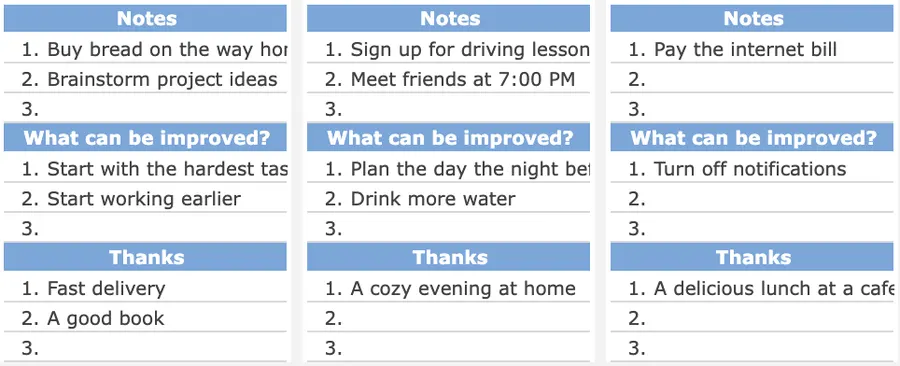
- Block-Type Tagging & Capture Column: Labels every slot as Deep Work, Meetings, Admin Batch, or Recovery, with a side column to jot down stray thoughts without switching browser tabs.
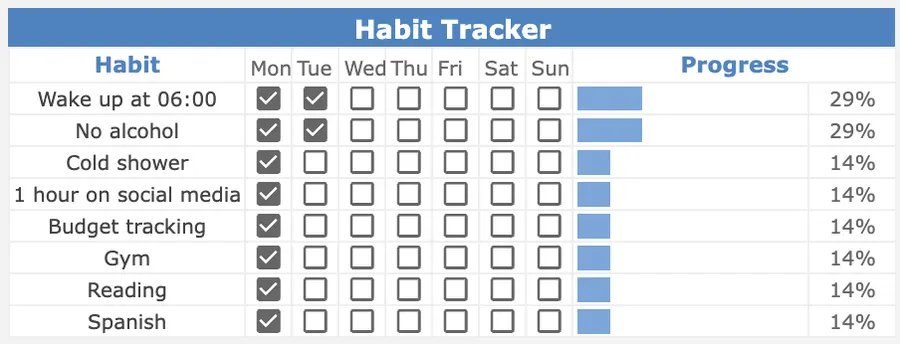
- 3 Keystone Habits & Shutdown Prompt: Keeps your daily routines and 5-minute evening reset anchored on the same page.
How to time-block your day in 5 minutes
- Pick your Top 3 MITs the night before: Pull up to three high-impact tasks from your Weekly Planner or Task Tracker so you never start the morning staring at an inbox.
- Protect 90 minutes before checking messages: Schedule MIT 1 into your first morning block while cognitive energy is highest.
- Contain reactive work in one afternoon batch: Process routine emails, Slack threads, and 2-minute tasks in a single 30-minute window at 16:00.
- Close with a 5-minute shutdown ritual: Tick completed blocks, move unfinished items to your Project Tracker, and lock in tomorrow’s MIT 1.
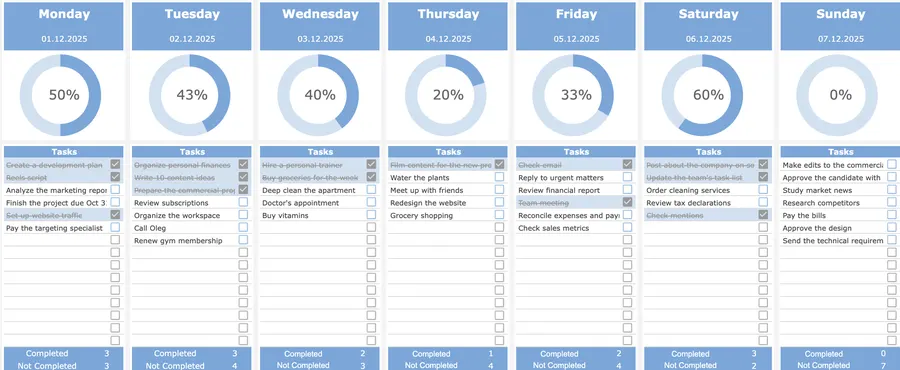
Up close
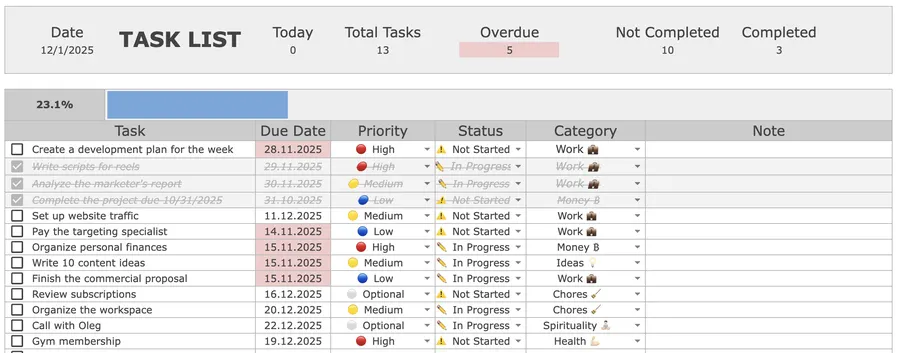
Format Comparison: Printable PDF vs. Google Sheets vs. Digital Calendars vs. Notion
| Format | Best for | Setup time | Key trade-off |
|---|---|---|---|
| Printable PDF (A4 / Letter) | Deep-work desk pad beside keyboard | 1 min | Eliminates tab-switching distractions; manual carry-over at day-end |
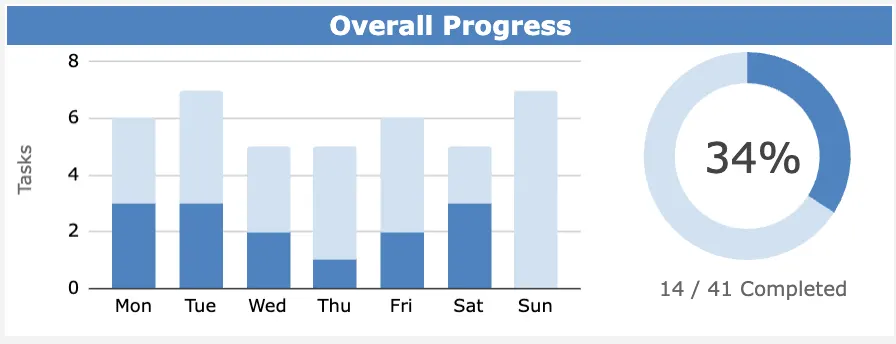
| Google Sheets (Automated) | Daily + 7-day completion rings & habits | 2 min | Automatic % done charts, strikethrough rows, and weekly archive tabs |
| Digital Calendar (Google / Outlook) | Shared team meeting invites | 3 min | Great for external calls; cluttered when used as a granular task checklist |
| Notion Daily Log | Meeting notes + daily journal | 3 min | Flexible backlinks to docs; requires manual time-slot creation |
How to structure your schedule around 90-minute ultradian blocks
Treating all eight hours of a workday as interchangeable leads to afternoon burnout and half-finished deliverables. Divide your daily sheet into three distinct energy zones:
- Zone 1 · Morning Deep Work (08:00–11:30): Reserve two 90-minute blocks separated by a 15- to 30-minute screen-free break for complex writing, coding, strategy, or financial modeling.
- Zone 2 · Midday Collaboration & Execution (11:30–16:00): Stack team stand-ups, client calls, and MIT 3 execution when social energy is high.
- Zone 3 · Afternoon Admin Batch & Shutdown (16:00–17:00): Clear routine correspondence in one timed sprint, update your Habit Tracker, and close your laptop with tomorrow’s plan already written.
Why time-blocking prevents “attention residue” (Sophie Leroy’s Research)
Checking email or Slack “for just two minutes” in the middle of a complex task carries a hidden cognitive tax. In foundational laboratory research, organizational behavior professor Sophie Leroy demonstrated that switching from an unfinished primary task to a secondary interruption leaves persistent attention residue: part of your working memory continues processing the prior task, significantly degrading accuracy and speed on the current block (Leroy, 2009, Organizational Behavior and Human Decision Processes). Pairing dedicated 90-minute focus blocks with concrete when-and-where cues (Gollwitzer, 1999, American Psychologist) protects your attention until each deliverable reaches a clean stopping point.
Frequently asked questions
Is this daily planner and time-blocking template free to print?
Yes. You can map your Top 3 Most Important Tasks (MITs) and hourly schedule in the interactive builder on this page and print a clean A4 or US Letter PDF for free, or open the full 07:00 to 21:30 printable sheet directly. If you want an automated 7-day and daily dashboard in Google Sheets with live completion rings and habit roll-ups, get the Focus Protocol Weekly & Daily Planner for a one-time $12.
How does time blocking work on a daily planner?
Time blocking assigns every task on your daily list to a specific calendar window rather than leaving items in an open-ended queue. Start by locking in two 90-minute morning blocks for deep work on MIT 1 and MIT 2, group meetings into midday slots, and batch routine email and Slack into a single 20- to 30-minute afternoon window.
Why should I limit my daily priorities to 3 Most Important Tasks (MITs)?
Cognitive capacity for high-concentration work peaks at roughly 3 to 4 hours per day. Selecting at most three MITs forces you to decide what truly moves the needle before reactive messages arrive, ensuring you finish your highest-leverage deliverables even on busy days.
Does the printable daily planner fit both US Letter and A4 paper?
Yes. The printable sheet uses a fluid grid and 10 mm page margins with fixed print column widths, so all 13 hourly time blocks (07:00 to 21:30), your Top 3 MIT cards, and the evening shutdown box fit cleanly on a single US Letter (8.5 × 11 in) or ISO A4 (210 × 297 mm) page with zero clipping.
What is the 5-minute evening shutdown ritual?
At the end of the workday, spend 5 minutes reviewing open loops, transferring any unfinished items into your master Task Tracker, and writing down tomorrow’s Top 3 MITs. Deciding tomorrow’s first deep-work block the evening before eliminates morning decision fatigue.
Want the complete Focus Protocol system?
Get the automated Weekly & Daily Planner for Google Sheets ($12), or combine it with our Task Tracker, Project Tracker, Habit Tracker, and Finance Tracker in the All-in-One Bundle ($29).