Free Task Tracker & To-Do List Template
A task tracker template turns an overwhelming to-do list into an executable queue by pairing every action with a priority level, due date, category, and status. Print our free A4/US Letter PDF sheet, triage your Top 3 priorities in the builder below, or use the automated Google Sheets edition.
Interactive Task Triage & Daily MIT Builder (Free Printable Export)
Define your Top 3 Most Important Tasks (MITs) and prioritized queue below, then click Print / Export My Task Sheet (PDF).
What’s in the template
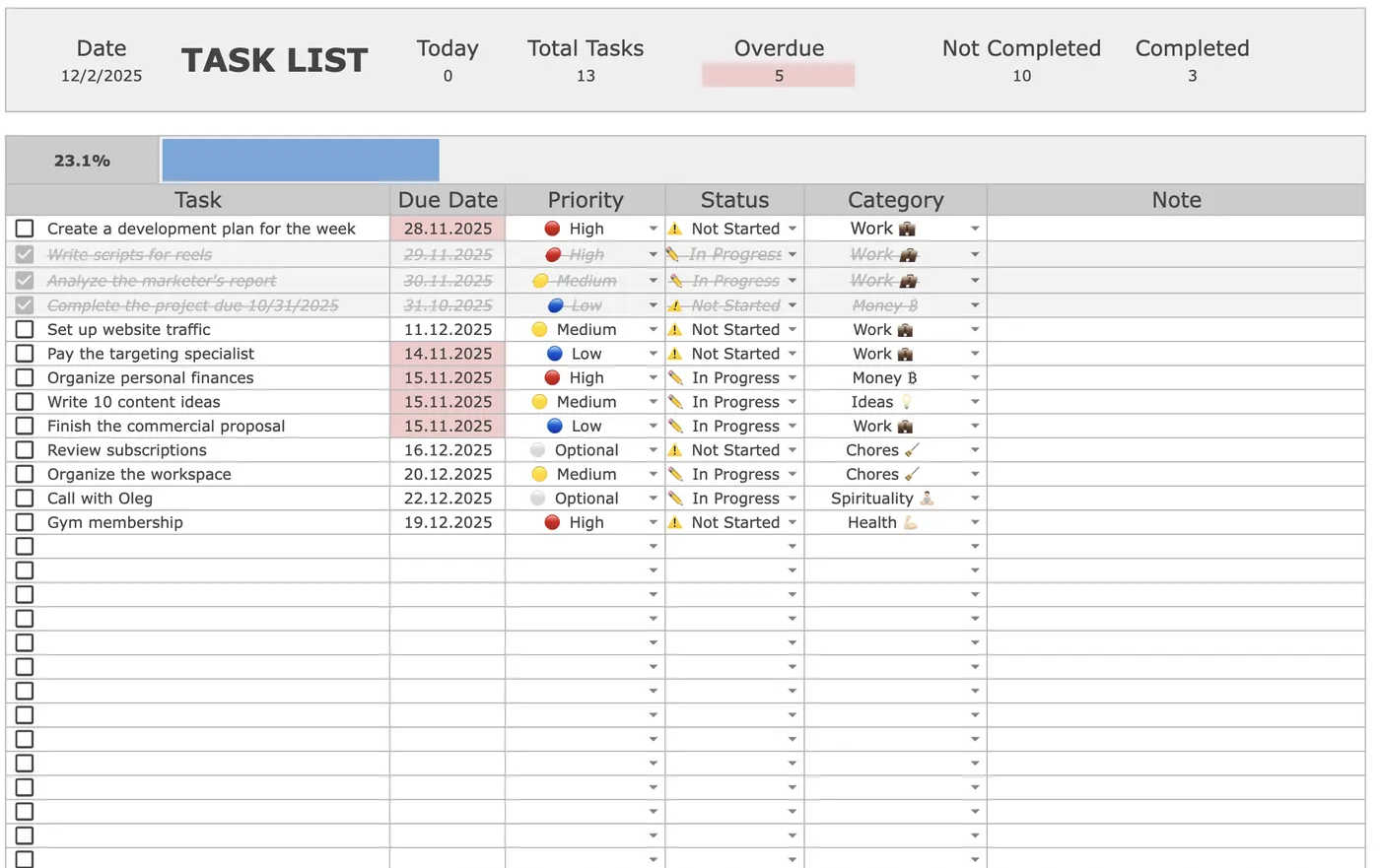
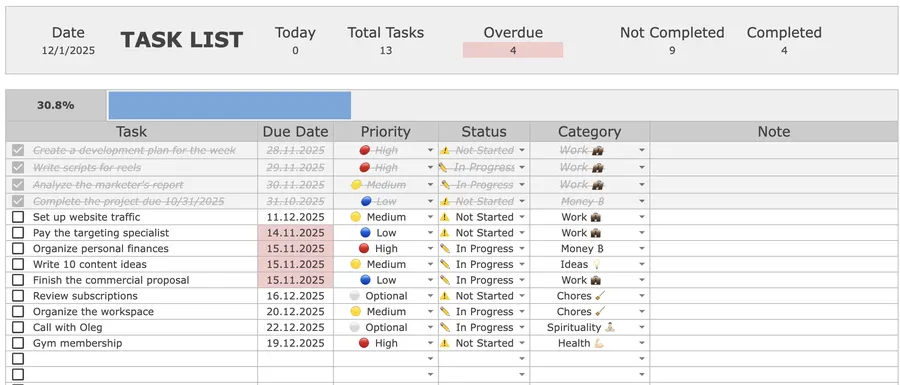
- Live Header Counters: Instant top-of-sheet tallies for Today’s tasks, Overdue, Open, and Completed items, plus an automatic completion progress bar.
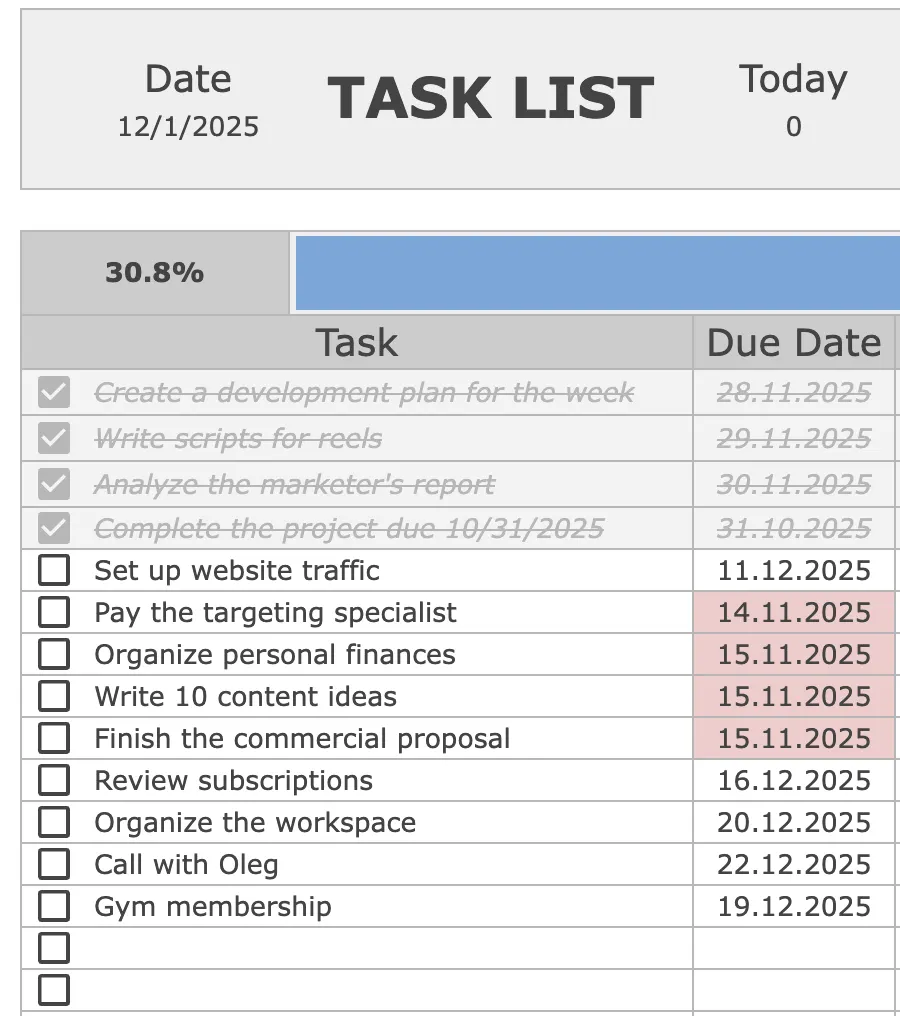
- Automatic Overdue Highlighting: Any uncompleted row whose due date passes turns red automatically, so deadlines never slip silently down the page.
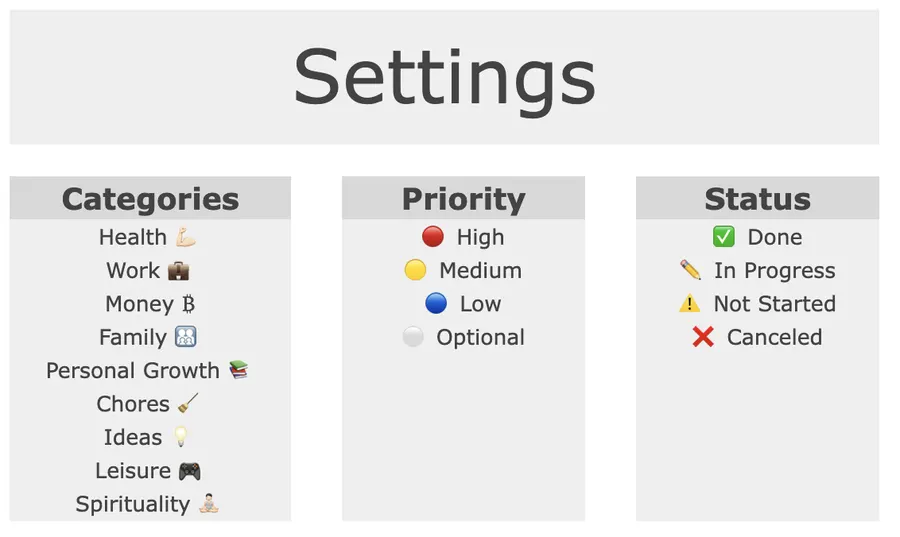
- Priority, Status & Category Drop-Downs: Filter by high-leverage deep work, waiting-on items, or quick 2-minute admin batches in two clicks.
- Automatic Strikethrough on Completion: Ticking a checkbox greys out the row and advances your completion percentage immediately.
How to run a task tracker in 10 minutes a day
- Start every task with a verb: Replace vague labels like “Website” with concrete physical actions like “Write 3 hero headlines for landing page.”
- Separate Today’s Top 3 from the backlog: Keep your master list in the tracker, but pull no more than three P1 tasks into today’s schedule (pair with our Weekly Planner).
- Batch P3 admin tasks: Group 2-minute emails, invoices, and scheduling into a single 20-minute afternoon block instead of fragmenting your morning.
- Close with a 5-minute shutdown: Tick finished rows, update due dates on anything that moved, and lock in tomorrow’s MIT 1.
Up close

Format Comparison: Printable PDF vs. Google Sheets vs. Notion vs. Excel
| Format | Best for | Setup time | Key trade-off |
|---|---|---|---|
| Printable PDF (A4 / Letter) | Daily desk pad & Top 3 focus | 1 min | Tactile focus beside your keyboard; requires manual carry-over |
| Google Sheets (Automated) | Master backlog + overdue alerts | 2 min | Automatic red overdue dates, live header counters, and % done bar |
| Notion Task Database | Project notes + Kanban views | 3 min | Links tasks to docs easily; slower for rapid keyboard entry |
| Excel Desktop | Offline corporate environments | 2 min | Fast local filtering; no browser-tab sharing by default |
How to triage tasks with the Eisenhower Matrix & 1-3-5 Rule
When everything on your list feels urgent, combine two proven filters inside the Priority column:
- P1 · Important & Urgent (1 major outcome): Client deliverables, hard deadlines, and high-leverage deep work. Schedule a 90-minute morning block before checking messages.
- P2 · Important, Not Urgent (up to 3 medium tasks): Core project milestones, strategic planning, and skill building. Assign each a concrete date on your Weekly Planner so it never decays into a last-minute emergency.
- P3 · Low-Leverage Maintenance (up to 5 quick items): Routine replies, receipts, and status updates. Batch them at the end of the workday or delegate.
Why capturing concrete next actions clears mental clutter (The Zeigarnik Effect)
Leaving tasks unwritten (or writing vague reminders like “Taxes”) keeps your brain’s goal-monitoring system on high alert. In controlled experiments, psychologists E. J. Masicampo and Roy F. Baumeister demonstrated that unfulfilled goals generate intrusive thoughts during unrelated focus tasks, whereas formulating a concrete plan specifying when, where, and how you will execute the next step eliminated that cognitive interference even before the task itself was completed (Masicampo & Baumeister, 2011, Journal of Personality and Social Psychology; see also Gollwitzer, 1999, American Psychologist).
Frequently asked questions
Is this task tracker and to-do list template free to download?
Yes. You can prioritize your tasks and print a clean A4/US Letter sheet using the interactive builder on this page, or open the 15-row printable PDF template for free. If you want automatic overdue highlights, live header counters (Today, Overdue, Open, Completed), and drop-down status filters in Google Sheets, the Focus Protocol Task Tracker is a one-time $9 purchase.
What is the difference between a task tracker and a simple to-do list?
A plain to-do list treats a 2-minute email and a 4-hour project milestone as equal bullet points. A structured task tracker separates your Top 3 Most Important Tasks (MITs) from low-leverage admin work by adding four fields to every row: Due Date, Priority (P1–P3), Status, and Category.
How many tasks should I put on my daily list?
Follow the 1-3-5 or Top 3 MIT rule: schedule at most three high-cognitive-load tasks per day, plus a small batch of 2-minute maintenance items in the afternoon. Everything else stays in your master backlog sorted by due date.
Can I use this task tracker in Google Sheets, Excel, or Notion?
Yes. Google Sheets and Excel handle automatic overdue formatting, priority sorting, and completion progress bars without manual math. In Notion, you can build the exact same setup with Status, Select, and Date properties filtered by Today vs. Backlog.
Why does writing down concrete next actions reduce procrastination?
Unfinished goals create persistent cognitive intrusions, known in psychology as the Zeigarnik effect. Writing down a specific next physical action and due date offloads the task from working memory so you can focus on one block at a time.
Want the complete Focus Protocol system?
Get the automated Task Tracker for Google Sheets ($9), or combine it with our Weekly Planner, Habit Tracker, and Finance Tracker in the All-in-One Bundle ($29).