Free Eisenhower Matrix & 4-Quadrant Priority Template
An Eisenhower Matrix template separates loud, low-leverage interruptions from compounding strategic work by sorting every task into four action quadrants: Q1 Do First (Urgent & Important), Q2 Schedule Deep Work (Not Urgent & Important), Q3 Delegate or Batch (Urgent & Not Important), and Q4 Eliminate (Neither). Triage your workload in the interactive calculator below, export a 1-page A4/US Letter PDF sheet, or automate priority tracking in Google Sheets.
Interactive 4-Quadrant Eisenhower Matrix & Urgency-Bias Calculator (Free PDF & Notion Export)
Allocate your non-meeting execution hours across Q1–Q4 below to check your Q2 Strategic Focus Share and detect Mere-Urgency Bias before you start working.
What’s in the template
- 4-Quadrant Action Grid (Do, Schedule, Delegate, Eliminate): Maps every task by objective long-term payoff versus deadline salience on one screen.
- Q2 Deep-Work Share Monitor: Calculates the exact percentage of your workday dedicated to Quadrant 2 compounding work (target: 55% to 65% of focus capacity).
- Q3 Delegation & 16:00 Batch Box: Captures Directly Responsible Individuals (@DRI) and afternoon batch slots so urgent-sounding trivia never hijacks your morning.
- Q4 Time-Reclaimed Ledger: Tracks hours saved by declining non-essential calls and eliminating low-value reporting.
How to run an Eisenhower Matrix triage in 10 minutes
- Score Importance before Urgency: Check whether an item directly moves one of your three 12-week goals on your Goal Tracker before looking at who is asking for it.
- Hard-cap Q1 at 3 tasks: Move your top Q1 and Q2 tasks into protected morning blocks on your Time Blocking Schedule and Daily Planner.
- Route Q3 items to a single DRI or 16:00 batch: Never let someone else’s last-minute request break a 90-minute Pomodoro / Ultradian Sprint.
- Delete Q4 outright: Cross off at least two low-value obligations every week before populating your Weekly Planner.
Up close
The 4 Quadrants Compared: Decision Rules, Time Targets & Anti-Patterns
| Quadrant | Target time share | Diagnostic filter | Execution protocol |
|---|---|---|---|
| Q1 · Do First (Urgent & Important) | 20–30% (1.0–2.0 h/day) | Breaches a hard deadline or stalls a top-3 goal today | Execute in your first morning focus block; cap at 3 items |
| Q2 · Schedule (Not Urgent & Important) | 55–65% (3.0–4.0 h/day) | High long-term payoff; no external alarm ringing today | Lock recurring 90-minute calendar blocks; treat as unbreakable |
| Q3 · Delegate / Batch (Urgent, Not Important) | 10–15% (≤1.0 h/day) | Loud notification or external request with low strategic weight | Assign to a single DRI or batch at 16:00 for 20–30 minutes |
| Q4 · Eliminate (Not Urgent, Not Important) | 0% (Delete outright) | Zero measurable impact on goals, health, or relationships | Politely decline, unsubscribe, or block during work hours |
3 ready-to-send scripts to deflect Q3 interruptions without friction
Most professionals understand the Eisenhower Matrix in theory but struggle to say no to colleagues in practice. Keep these three low-friction response scripts beside your matrix:
- The Async Redirect (for “Quick 15-minute call?” requests): “I’m heads-down on the Q4 launch spec until 15:30 today. Drop the 3 bullet points or a 2-minute Loom here and I’ll send a written decision during my 16:00 review batch.”
- The Priority Trade-Off (for manager scope creep): “Happy to take this on. To ship it by Thursday, should I pause the checkout API migration (Q2) or push the analytics audit to next week?”
- The Single-DRI Handoff (for Q3 operational tasks): “@alex owns the vendor onboarding checklist this quarter and can resolve this fastest; I’ve added the context to their tracker for Wednesday.”
What behavioral science proves about the “Mere Urgency Effect” and workload triage (Zhu et al. & KC et al.)
Why do smart professionals spend all day clearing trivial emails while their most important strategic project sits untouched for weeks? Behavioral and operations researchers have identified two cognitive biases that the 4-quadrant Eisenhower Matrix directly counteracts. First, in a landmark series of five experiments, consumer and behavioral scientists Meng Zhu, Yang Yang, and Christopher K. Hsee documented the Mere Urgency Effect: people systematically choose tasks with a short completion window over tasks with objectively superior payoffs because perceived time scarcity dominates attention at the moment of choice – overriding task payoff unless decision-makers explicitly evaluate importance first (Zhu, Yang, & Hsee, 2018, Journal of Consumer Research). Second, operations management researchers Diwas KC, Bradley R. Staats, Maryam Kouchaki, and Francesca Gino analyzed large-scale empirical task-completion logs and proved that as cognitive workload rises, professionals increasingly gravitate toward easy, quick-to-close tasks (Quadrant 3 pseudo-productivity) for the immediate dopamine relief of ticking a box, which significantly degrades long-term performance and skill acquisition (KC, Staats, Kouchaki, & Gino, 2020, Management Science; building on the Quadrant II time-management matrix formalized by Stephen R. Covey, 1989, The 7 Habits of Highly Effective People).
Frequently asked questions
Is this 4-quadrant Eisenhower Matrix template free to download?
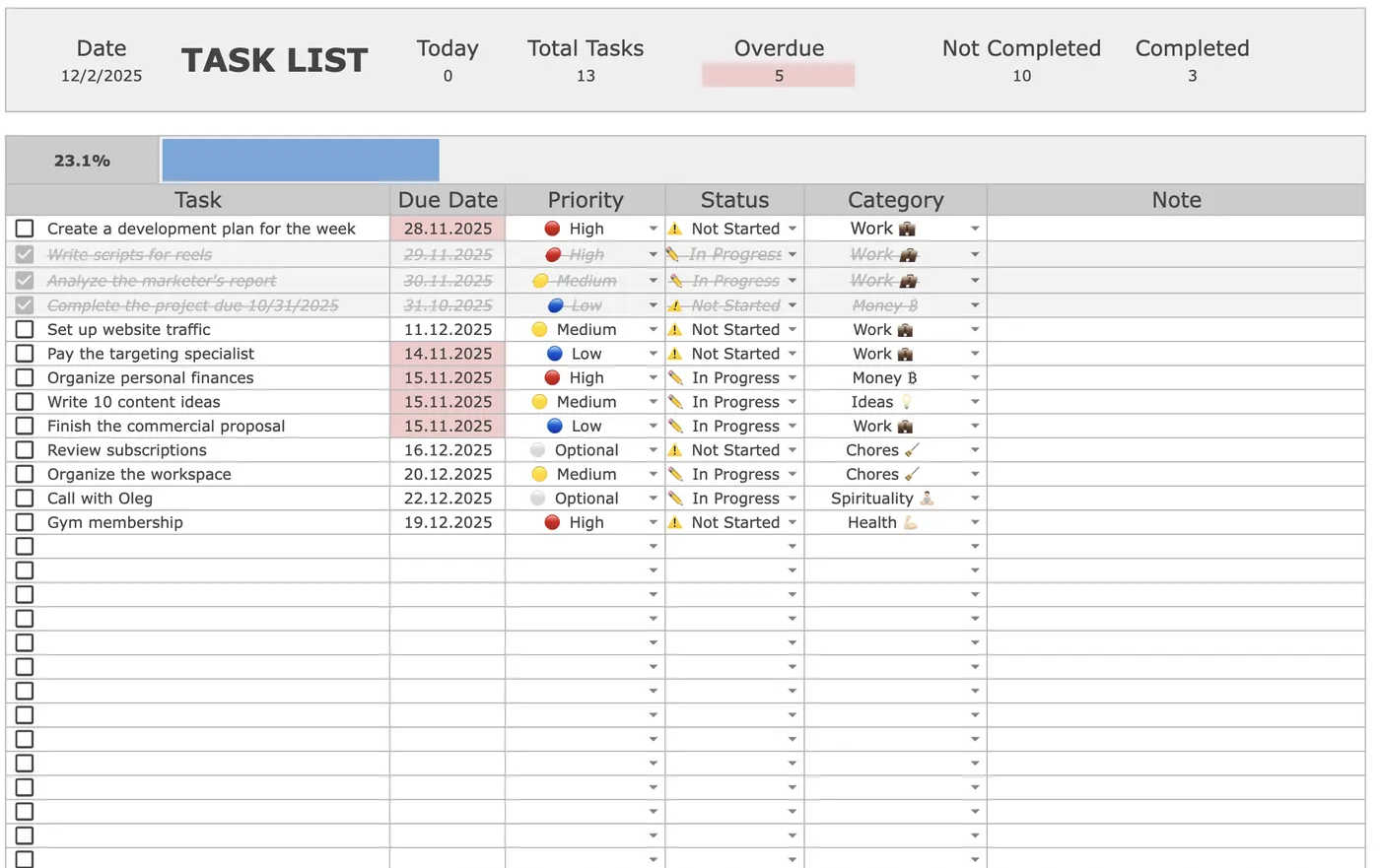
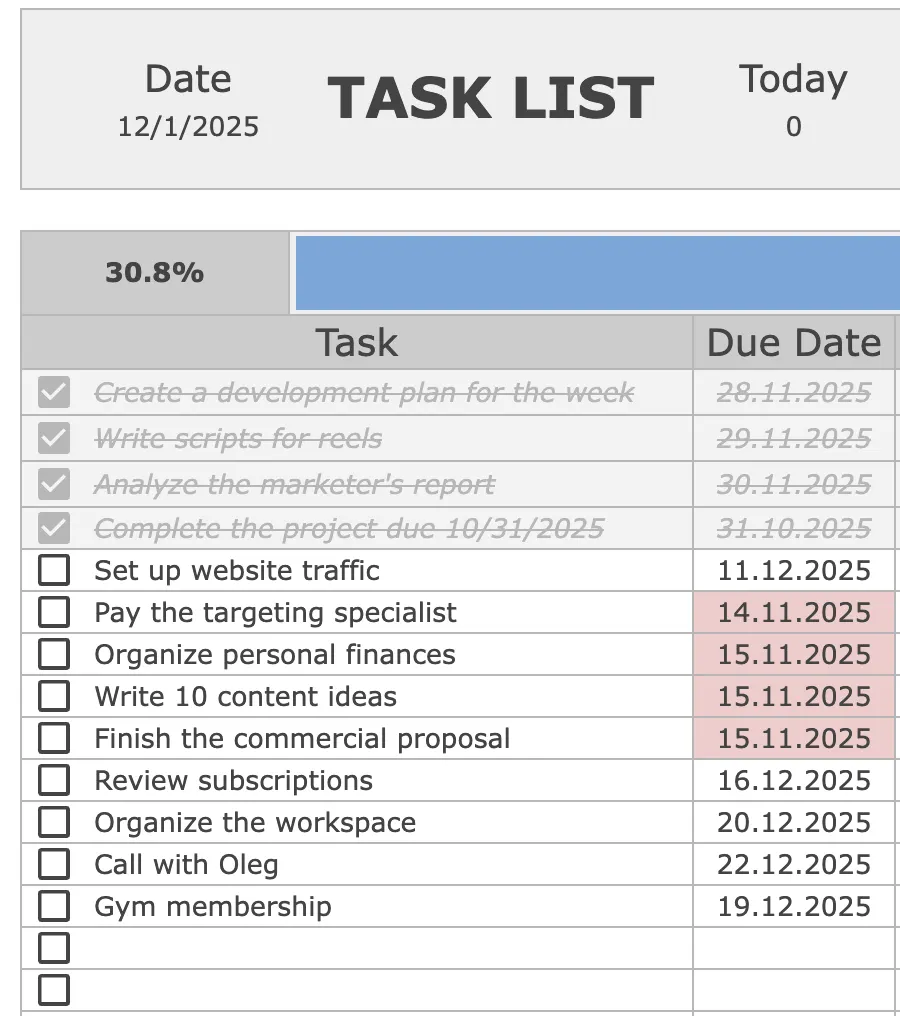
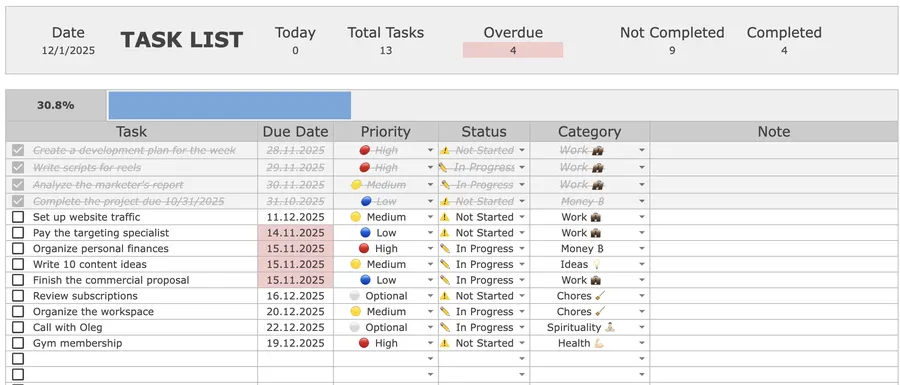
Yes. You can triage your tasks across all four quadrants, calculate your Q2 strategic focus share, and export a 1-page A4/US Letter PDF or Notion/Markdown matrix for free. If you want an automated priority queue in Google Sheets with red overdue highlights, P1–P3 drop-downs, and live completion counters, get the Focus Protocol Task Tracker for a one-time $9.
What are the 4 quadrants of the Eisenhower Matrix?
The Eisenhower Matrix classifies every task along two axes: Importance (whether the output directly advances long-term goals) and Urgency (whether it demands immediate reaction). Quadrant 1 (Urgent & Important: Do First) holds true deadlines and crises. Quadrant 2 (Not Urgent & Important: Schedule) holds compounding deep work, strategy, architecture, and health. Quadrant 3 (Urgent & Not Important: Delegate or Batch) holds interruptions and other people’s low-leverage requests. Quadrant 4 (Neither Urgent Nor Important: Eliminate) holds mindless busywork and distractions.
How do I tell the difference between Quadrant 1 (Do First) and Quadrant 3 (Delegate or Batch)?
Ask one diagnostic question: “If this task is not done by Friday, does it stall one of my top 3 quarterly objectives or breach a hard client/legal commitment?” If yes, it belongs in Quadrant 1. If the urgency comes solely from a loud notification, a “quick question” Slack ping, or someone else’s unscheduled request, it is Quadrant 3 and should be delegated or batched into a 20-minute 16:00 admin window.
What percentage of my workday should go to Quadrant 2 (Important, Not Urgent)?
High-output operators and executives aim to allocate 55% to 65% of their non-meeting execution capacity (roughly 3 to 4 hours per day) to Quadrant 2 deep work. When Quadrant 2 drops below 30%, strategic projects stall until they decay into stressful Quadrant 1 firefighting emergencies.
Why shouldn’t I keep more than 3 tasks in Quadrant 1 on a single day?
True high-cognitive-load execution is biologically capped at 3.5 to 4.0 hours per day. Stuffing 8 or 10 items into Quadrant 1 recreates an unprioritized to-do list, triggers task-selection fatigue, and pushes you toward checking off easy low-impact items just to feel progress.
Want the complete Focus Protocol system?
Get the automated Task & Priority Tracker for Google Sheets ($9), or combine it with our Time Blocking Template, Daily Planner, Weekly Planner, Goal Tracker, Pomodoro Planner, and Cornell Notes Template in the All-in-One Bundle ($29).